Locations show where assets are installed, stored, maintained, or used. In the unified model, locations and assets share one hierarchy, giving you a clear view of places and equipment.
Locations and Assets
A location represents a place, such as a campus, building, pump station, room, service area, or storage yard.
An asset represents equipment you manage, such as a pump, vehicle, motor, or control panel.
Use locations to show where equipment belongs. Use assets for items with their own inspection, maintenance, financial, or operational history.
Understand the Unified Hierarchy
Locations and assets can appear together:
North Operations Campus Location
└── Water Treatment Building Location
└── Pump Station Alpha Location
├── Primary Pump Asset
│ └── Electric Motor Asset
└── Backup Pump Asset
The hierarchy supports:
- Locations within locations
- Assets within locations
- Assets within other assets
- Root items with no parent
An item’s parent determines where it appears. For more information, see our article on Understanding the Asset Hierarchy [insert link].
Decide When to Use a Location
Create a location for:
- A physical or geographic area
- A facility containing several assets
- A meaningful operational area
- A place users need to browse or report on
Create an asset when the record represents maintainable equipment.
For example, Pump Station Alpha can be a location, while Pump Alpha 01 is an asset at that location.
Create a Location
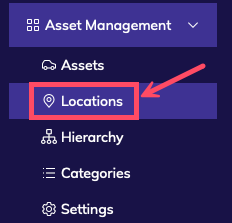
- Go to Asset Management.
- Open Locations.
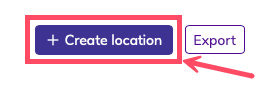
- Select Create location.
- Enter a clear name and location tag (optional).
- Select a parent, if needed.
- Choose a category and classification.
- Select the responsible department.
- Select Create location.
The location appears in the location list and hierarchy. If you do not choose a parent, it appears at the root level.
Edit or Move a Location
- Open Locations.
- Find and open the location.
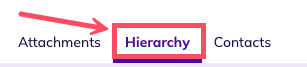
- Click the Hierarchy tab.
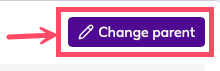
- Click Change parent.
- Update its details.
- Save your changes.
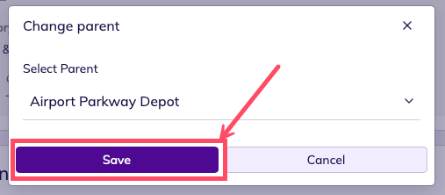
When you change a location’s parent, its child locations and assets move with it. Review the full branch before making the change.
Was this article helpful?
That’s Great!
Thank you for your feedback
Sorry! We couldn't be helpful
Thank you for your feedback
Feedback sent
We appreciate your effort and will try to fix the article