An asset can have several inspections for different purposes, schedules, or teams. Each inspection keeps its own questions, requirements, due dates, and history.
Completing one inspection does not normally complete another. A daily operational check, for example, does not replace an annual safety inspection.
Use Separate Inspections
Create separate inspections when checks have different:
- Purposes
- Schedules
- Responsible teams
- Questions
- Completion requirements
- Compliance needs
- Triggering events
Keep checks together when the same person usually performs them at the same time.
Example
A pump might have:
Inspection | When to use it |
Daily Operational Check | During routine rounds |
Monthly Maintenance Inspection | For wear, lubrication, and performance |
Annual Safety Inspection | For detailed safety and compliance checks |
Post-Repair Inspection | After a repair or component replacement |
Each inspection creates its own record.
Choose the Right Inspection Type
- Operational checks: Keep these short and focused on safe, normal operation.
- Maintenance inspections: Use these for wear, lubrication, filters, readings, and adjustments.
- Safety or compliance inspections: Keep these separate when they require photos, measurements, signatures, or formal evidence.
- Condition assessments: Use these to support renewal, risk, replacement, and budget planning.
- Event-based inspections: Use these after repairs, incidents, relocations, storage, or return to service.
Review Assigned Inspections
- Go to Asset Management.
- Find and open the asset.
- Select Inspections.
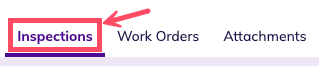
- Review the assigned inspections.
- Check each inspection’s purpose, status, and due date.
- Open an inspection to review its questions or history.
The list may include inspections assigned directly to the asset and inspections inherited from its category or classification.
Select the Correct Inspection
Before starting:
- Confirm the asset name, ID, or tag.
- Read the inspection name and description.
- Check why it is due.
- Confirm its schedule or triggering event.
- Choose the inspection that matches the work.
Use clear names such as:
- Pump - Daily Operational Check
- Pump - Monthly Maintenance Inspection
- Pump - Annual Safety Inspection
Do not choose a shorter inspection just because it is faster.
Manage Independent Schedules
Each inspection follows its own schedule. If two are due at the same time, complete both unless your organization has confirmed that one replaces the other.
Stagger longer inspections when possible to balance the workload.
Avoid Overlap and Duplicates
If two inspections look similar, compare:
- Their questions
- Their schedules
- Their departments
- Their compliance requirements
- Their assignment sources
Do not remove an inspection based only on its name. If the forms are true duplicates, keep the appropriate shared version and remove the extra assignment.
Review Inspection History
- Open the asset.
- Select Inspections.
- Choose the inspection.
- Review its completed records.
- Open a record to see responses, faults, notes, photos, and signatures.
Review each inspection’s own history rather than assuming another form contains the same information.
Change or Remove an Inspection
Before changing an assignment:
- Check whether it is direct or inherited.
- Review pending and overdue inspections.
- Confirm another inspection covers the requirement.
- Preserve completed history.
- Check policy or compliance requirements.
Troubleshooting
- Inspection appears twice: Check for both direct and inherited assignments.
- Two inspections are due together: Complete both unless one officially replaces the other.
- Wrong inspection was completed: Keep the record, complete the correct inspection, and notify a supervisor if needed.
- Expected inspection is missing: Confirm that it is active and assigned to the asset, category, or classification.
- Inspection no longer applies: Update the assignment at the level where it was added.
Was this article helpful?
That’s Great!
Thank you for your feedback
Sorry! We couldn't be helpful
Thank you for your feedback
Feedback sent
We appreciate your effort and will try to fix the article